

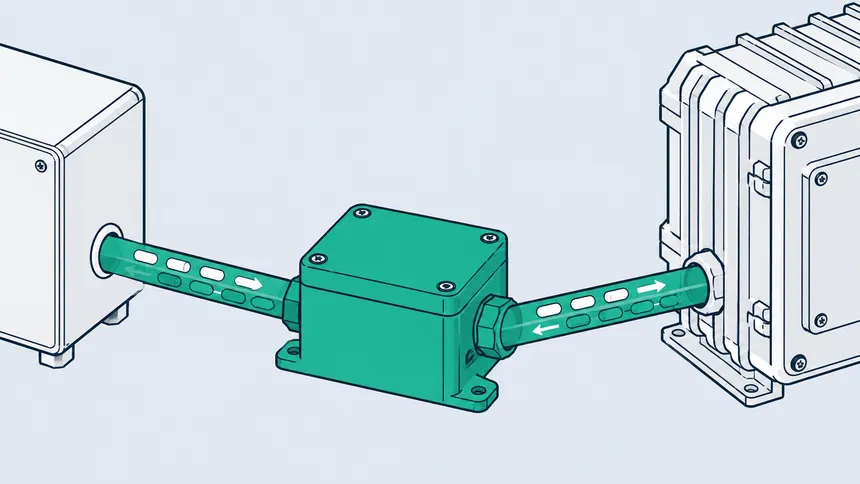
Companies have been calling us with the same sentence for two years: “we have an application that works well, and we retype everything into Sage”. Orders taken in the field, new customers, hours worked. Someone copies it across in the evening or on a Friday, and sometimes gets it wrong.
Connecting the two is possible. The route depends entirely on how your Sage 100 is installed, and that is the first thing to establish.
Three installations, three different projects
Sage 100 on a server in your building. This is the most common case among French SMEs and the most technically demanding. The software runs behind your firewall, nothing is exposed to the internet, and that is as it should be. The link then goes through a program installed on your side, which reads locally and passes data to your application. No inbound access is opened.
Sage 100 hosted by a partner. The server is not yours, access depends on what the host allows, and that conversation has to happen before any development.
Sage 100 online. Exchanges use interfaces designed for the purpose, which simplifies setup without removing the underlying work.
One point holds in all three cases: Sage rejects anything that breaks its own rules. Exchange mechanisms differ from one product in the range to another, and the publisher’s online help gives an idea of the level of formality expected. An unknown customer, a missing accounting code, an unreferenced item, and the write is refused. The application writing into Sage has to behave like a disciplined user.
What takes the time, and it is not the technology
On this kind of project, pure development is rarely the longest part. Time goes into the decisions nobody had written down.
Direction of flow. Reading from Sage to display an outstanding balance or stock level is a short project with no accounting risk. Writing into Sage touches your books and needs sign-off from whoever keeps them. Many needs are met by read access alone, and that is often the right answer for a first stage.
Matching third parties. The same customer exists on both sides, spelled differently, sometimes with two addresses. Without a rule decided up front, duplicates appear within weeks and spread.
Numbering. Your documents follow continuous sequences. If the application creates documents, someone has to decide who allocates the numbers, or your sequences end up with gaps or duplicates.
Rhythm. Data fetched live on every screen keeps Sage busy all day. An overnight synchronisation tolerates a day’s delay. That choice weighs more on cost than the volume of data exchanged.
Behaviour on failure. The network drops, Sage is mid-backup, a required field is missing. If nobody is told, the gap between the two systems widens silently. That is the most common flaw in links built in a hurry, and the most expensive to unwind.
What to prepare on your side
Three things speed up scoping considerably.
The exact version of your Sage 100 and how it is installed, which your usual provider can give you in minutes.
The name of the person who actually keeps the accounts. They will decide what may be written and in what form, and their input saves expensive round trips.
The list of data that costs you time today, in order. “Synchronise everything” is never the right scope for a first stage.
Why this crossover is rare
Agencies specialising in generation tools know web applications and not French business software. Sage integrators know the reverse and do not work on applications produced with those tools. The two skill sets rarely meet, which is why so many companies stay stuck with double entry.
We have done it in production, on a generated application connected to a Sage installed on a client’s own server, with its data schema and its access constraints. That is development, not configuration.
A first stage that fits in a few weeks
The natural reflex is to want everything connected at once. That is the longest and riskiest approach, because it pushes the first go-live back by months and concentrates every problem into the same moment.
The sequence that works starts with read-only access to whatever costs the most time today, usually the customer record and the product catalogue. Nothing is written into Sage, there is no accounting risk, and your teams immediately stop retyping information that already exists.
That first stage doubles as a test bench. It surfaces format mismatches, duplicate customers, archived items still hanging around, all the details no paper scoping exercise reveals. Fixing them on a read-only flow costs hours. Discovering them on a write flow costs far more.
Writing comes next, on a single document type, with manual approval during the first weeks. Full automation is decided once whoever keeps the accounts can see that the documents produced are correct.
What we do
We read your application’s code, we look at how Sage is genuinely installed at your site, and we write the scope in plain language: what the link will do, what it will not, in which direction, how often, and what happens when a submission fails.
You approve that document, you get a fixed quote, and the link is delivered in batches you see working as we go. Your Sage integrator is involved from the scoping stage: they know your configuration and they will see the traffic.
We do not administer your servers or your Sage. We develop the link and support its rollout.
The full approach, the other ERPs and CRMs we work on and the budget benchmark are all on the connect your application to your ERP page.